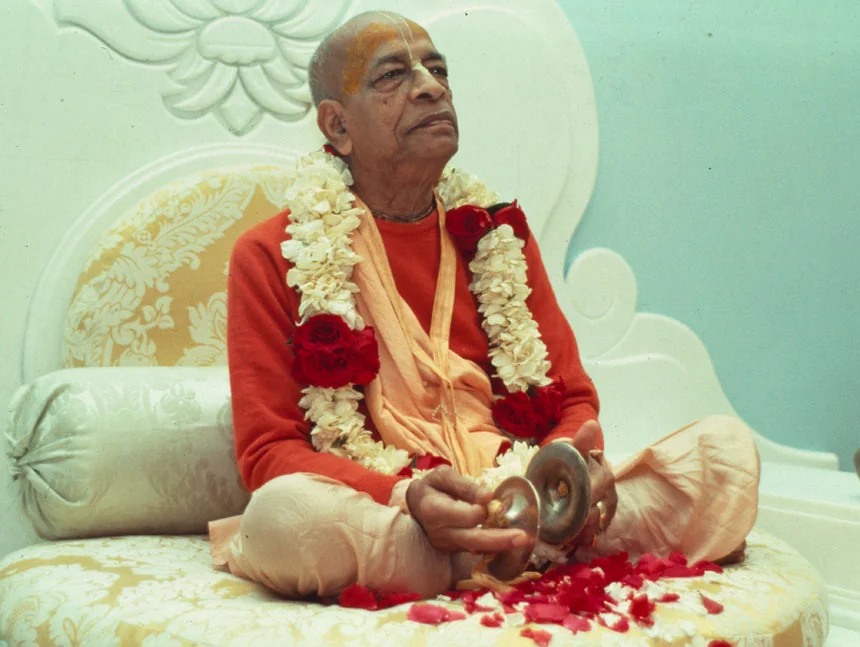
Śrīla Prabhupāda Uvāca

Install App
Tap a tab to change homepage view
TREASURE
Library
Browse the entire lecture treasure
LIVE
Live Hearing & World
Who is listening now · Worldwide
Live counts refresh every 3 min · tap for the latest
SEARCH
Search
Lectures, topics & transcripts
Filtering
Two Ways to Search
1Type — Search by lecture title, book (e.g. Bhagavad-gita), verse (e.g. 2.20), year, or place. Results update instantly as you type.
2Speak — Tap the 🎙️ mic icon inside the search bar and say what you're looking for.
Audio Search Activity
🎧 Audio
—
All Time
since launch
—
This Month
—
Today
Categories
Select to filter search results

—

—

📬
My Inbox
📖
About
📋
Changelog
🌍
Global Reach
💬
Hearts Touched
🙇
Offerings
⚙️
Settings
📢
Share
Back
A message is ready for you
We've crafted a beautiful, detailed message about the app — describing all its features, install steps, and a direct link. Just tap a platform below and the message opens ready to send. No typing needed!
SHARE
Share App
Spread the transcendental sound
Back to Godhead
Back
OFFERINGS
Offerings
A Humble Attempt
Praṇāms
Śrī Śrī Rādhā Kṛṣṇa
The Supreme Personalities of Godhead

O Rādhe, O Kṛṣṇa — the eternal source of all love, all kindness, all beauty. Every transcendental sound vibration in this app is Your mercy flowing through Your pure devotee, Śrīla Prabhupāda.

Praṇāms
Śrī Pañca Tattva
Śrī Kṛṣṇa Caitanya · Prabhu Nityānanda
Śrī Advaita · Gadādhara · Śrīvāsa

O magnanimous Lord Caitanya, You came to freely give what no one had given before — pure love of God. Please shower Your mercy on all of us.

Praṇāms
The Ācārya Paramparā
All great teachers in the Gauḍīya Vaiṣṇava sampradāya

From Śrī Mādhavendra Purī to Śrīla Bhaktivinoda Ṭhākura, Śrīla Gaura Kiśora Dāsa Bābājī, Śrīla Bhaktisiddhānta Sarasvatī Ṭhākura — the unbroken chain of mercy descending to us.
We bow at the most auspicious holy lotus feet of each and every one of you.

Praṇāms
His Divine Grace A.C. Bhaktivedanta Swami Śrīla Prabhupāda
Founder-Ācārya of ISKCON · Our eternal shelter

Dear Śrīla Prabhupāda, you crossed the ocean alone at 70, carrying the greatest gift humanity has ever received. May this app be an instrument to distribute your gift further through your words, your wisdom, your boundless compassion.

Gratitude
Śrīla Prabhupāda's Dedicated Disciples
The devotees who preserved his divine voice for the world

With deep gratitude to those sincere disciples who faithfully recorded, transcribed, and preserved every word of Śrīla Prabhupāda's classes — often in the most challenging circumstances.

Because of their dedication, these transcendental instructions remain available to seekers across generations and continents. Their selfless service ensured that not a single word was lost.

Praṇāms
Our Beloved Spiritual Master
The captain of our boat across this ocean of birth and death

Whatever little good is in this offering belongs to you. Whatever faults are here are entirely our own.

Please forgive our shortcomings and guide us to serve your mission with purity, humility and gratitude.

Gratitude
A Drop in the Ocean of Service
To every platform, app and archive serving Śrīla Prabhupāda's vāṇī

Many wonderful platforms, apps, and websites — built by sincere devotees over many years — already make Śrīla Prabhupāda's vāṇī beautifully accessible to the world. We offer our respectful obeisances to every one of them.

This app does not seek to replace or compete with any of them. It is simply one more small lamp lit from the same flame — a squirrel attempt to serve, in whatever humble way we can, the mission of distributing Śrīla Prabhupāda's words to every soul who seeks them.

Gratitude
Every Devotee
Each soul who finds their way to Śrīla Prabhupāda's words

We are nothing — just a small attempt to place his words within reach.

Please forgive any shortcomings in this offering, and kindly pray that we may serve a little better each day.

Hare Krishna.

Source Material
Back to Godhead
Back
HEARTS
Hearts Touched
How this site/app is serving devotees
↻ Updated every 2 hours
Loading testimonials...
Back to Godhead
Back
UVACA
About Śrīla Prabhupāda Uvāca
His Words. Your Heart. Anytime.
4066
Audios
1966–1977
Years
2399+
Hours
His Divine Grace A.C. Bhaktivedanta Swami Prabhupāda (1896–1977) — the world's most distinguished teacher of Vedic culture and the science of bhakti-yoga.
Born Abhay Charan De on September 1, 1896, in Calcutta, into a devout Vaiṣṇava family. His name means "one who is fearless, having taken shelter at the lotus feet of the Supreme Lord."
At birth, his horoscope was cast by an astrologer who predicted he would one day cross the ocean and open 108 temples worldwide — a prophecy fulfilled in remarkable detail.
In 1922, he first met his spiritual master, Śrīla Bhaktisiddhānta Sarasvatī Ṭhākura, who immediately requested him to preach the message of Kṛṣṇa consciousness in English to the Western world.
He received formal initiation in 1933 and spent the next three decades deeply studying and translating the Vedic scriptures, writing prolifically in preparation for his mission.
In 1944, he single-handedly started Back to Godhead magazine — typing, editing, proofreading, and even funding it himself — which continues to be published today.
In 1959, he accepted the renounced order of life (sannyāsa) and began work on his life's masterpiece — the multi-volume translation and commentary of Śrīmad-Bhāgavatam.
At the age of 69, in 1965, he sailed alone to America on the steamship Jaladuta — carrying only his translations and a few dollars — fulfilling his spiritual master's long-ago instruction.
Arriving in New York City with almost no money and no institutional support, he began chanting the Hare Krishna maha-mantra in Tompkins Square Park, attracting the city's youth.
In July 1966, he founded the International Society for Krishna Consciousness (ISKCON) at 26 Second Avenue, New York.
Within just a few years, his movement spread to every major city in the world. He circled the globe twelve times in eleven years, tirelessly preaching despite frail health.
He established 108 temples, farm communities, gurukula schools and Govinda's restaurants across six continents, creating a complete spiritual civilization.
He translated and commented on over 70 volumes of Vedic literature, including Bhagavad-gītā As It Is, the 18-volume Śrīmad-Bhāgavatam, and the 9-volume Caitanya-caritāmṛta.
His books have been translated into over 80 languages and distributed in the hundreds of millions of copies — making him one of the most widely-read spiritual authors in history.
Scholars from Harvard, Oxford, and major universities worldwide have praised his translations as authoritative and invaluable contributions to world culture and religious scholarship.
He introduced the Ratha Yātrā (Chariot Festival) to the Western world — now celebrated annually in hundreds of cities globally with thousands of participants.
He represents the Brahma-Mādhva-Gauḍīya Vaiṣṇava disciplic succession — an unbroken chain of spiritual masters traceable to Lord Kṛṣṇa Himself through the great sage Vyāsadeva.
His philosophy is grounded in the teachings of Śrī Caitanya Mahāprabhu (1486–1534), who inaugurated the congregational chanting of the holy name as the primary spiritual practice for this age.
He taught the principle of "simple living, high thinking" — spiritual wisdom combined with practical, God-conscious life — as the solution to the world's problems.
He departed this world on November 14, 1977, in Vṛndāvana, India — the sacred birthplace of Lord Kṛṣṇa — surrounded by his loving disciples chanting the holy name.
The title "Prabhupāda" means "one at whose feet the masters sit" — a title of the highest spiritual honour, reflecting his position as a pure devotee of the Lord.
"He lives forever by his divine instructions, and the devotee lives with him." — Śrīla Prabhupāda's instruction ensures his presence remains eternally through his books and recordings.
During his eleven years of active preaching in the West, he personally initiated approximately 5,000 disciples from virtually every nationality, race, and background — an unprecedented gathering of souls around a single spiritual master.
He gave both first initiation (harinama — the chanting of the holy name) and second initiation (brahminical — the Gayatri mantra), conducting grand initiation ceremonies in temples around the world.
His disciples came from all walks of life — students, artists, scientists, scholars, and seekers — and went on to become sannyasis, temple presidents, GBC members, authors, and preachers themselves.
Through his disciples and their disciples, the Vaishnava family has now grown to millions worldwide — all tracing their spiritual lineage back to Śrīla Prabhupāda and the Gauḍīya Vaiṣṇava sampradāya.
A sacred digital library of Śrīla Prabhupāda’s spoken lectures from 1966 to 1971
4000+ original audio recordings preserved and made accessible anytime, anywhere
Lectures given in temples, homes and public events across 74 cities & sacred places worldwide
In an age where the world lives on mobile screens, this app places Śrīla Prabhupāda’s transcendental voice with you always — so His mercy is never more than a tap away
Open in any modern browser — no login or account needed to listen
Sign in with Google to sync your progress, bookmarks and "Heard" status across all your devices
The app shell loads offline after the first visit, and any lecture you have downloaded plays offline too — streaming a lecture you have not downloaded still needs an internet connection
Hear offline — tap Offline on any lecture to keep it on your device with its transcript, then switch on Airplane mode and hear undisturbed. Your hearing is still counted and reaches your profile when you are next online
Android — Chrome recommended: open this page in Chrome and tap Install when prompted. Chrome installs it as a real app, with its own icon in your app drawer. Samsung Internet, Edge and Brave can add it too, but only as a home-screen shortcut — and may show an extra system prompt while doing so
iPhone / iPad (Safari only): tap the Share icon → "Add to Home Screen" — Safari is the only iOS browser that supports installation
Desktop (Chrome / Edge): look for the install icon in the address bar and click it to install
Firefox: installation is not supported — use Chrome or Edge instead
Cross-device sync — your progress, position in every lecture, and listening history are saved to your account and restored on any device
Personal notes — write your own realisations and reflections for any lecture; saved privately to your account, synced across all your devices, and accessible anytime from your Profile under My Notes
Quote journal — save powerful passages from Śrīla Prabhupāda's transcripts to a personal collection; synced to your account across all devices and accessible anytime from your Profile under My Quotes Journal
Custom playlists — group lectures by book, topic, or theme into up to 10 personal playlists
Bookmarks — save your exact timestamp inside a lecture, return to that precise moment in any session, and share it — anyone who opens your shared bookmark starts playing from exactly that point
Saved lecture library — heart-save any lecture to your personal library for quick access anytime; build your own curated collection of the teachings that resonate most deeply
Daily streak — hear 30 minutes a day, or complete a shorter lecture, and watch your streak grow
Monthly listening goal — set a target for lectures to complete each month and track your progress
Completion & Progress tracking — in List view, the Heard tab shows all lectures you have completed; the In Progress tab shows everything you have started but not yet finished; and the To Hear tab shows those still awaiting you — so you always know exactly how far you have come in your journey through Śrīla Prabhupāda's Vāṇī
Hours of Vāṇī heard — view the total hours of Śrīla Prabhupāda's Vāṇī you have heard, accumulated across all your sessions and devices
Seva Milestones & badges — earn collectible badges as your listening grows — First Step, Week of Seva, Sincere Seeker, Month of Devotion and more — each unlocking automatically as a quiet marker of your progress through Śrīla Prabhupāda's Vāṇī
Comments & realisations — share your thoughts on any lecture and read what other devotees have written
Share your experience — add your own testimonial with a star rating to Hearts Touched, telling devotees around the world how Śrīla Prabhupāda's lectures are helping you on your spiritual journey
Feedback & issue reporting — send your suggestions straight to the team and report any problem you encounter; replies come back to you inside the app under My Inbox
Theme, accent & font sync — your chosen display mode, accent colour, and reading font are saved to your account and restored automatically on every device you sign in to
Playback speed sync — your preferred listening speed, from 0.75× to 2×, is saved to your account, applied to every lecture you open, and restored on every device you sign in to
Playback mode sync — your chosen playback mode — Sequence, Shuffle, Repeat or Play & Rest — is saved to your account and restored on every device, so the player always continues the way you prefer
Without sign-in the app works fully for browsing and listening — but all of the above is stored only on that device and will be lost if the browser cache is cleared
Bhagavad Gītā — chapter-by-chapter explanations of Kṛṣṇa’s teachings
Śrīmad Bhāgavatam — deep philosophical discourses on the Absolute Truth
Caitanya Caritāmṛta — Ādi, Madhya and Antya Līlās covering Lord Caitanya’s divine teachings and pastimes
Nectar of Devotion, Śrī Īśopaniṣad & Brahma Saṁhitā — foundational Vedic wisdom and the science of devotional service
Bhajans, Kirtans & Purports — devotional songs, Hare Krishna kirtans and prayer purports with explanations
Festivals & Celebrations — Ratha Yātrā, Vyāsa Pūjā, Janmāṣṭamī, Sunday Feast, Paṇḍal Programs
Appearance & Disappearance Days — commemorations of great Vaiṣṇava saints
Initiation, Wedding & Deity Installation — sacred ceremony lectures
Room Conversations, Morning Walks & Darśanas — intimate personal exchanges and philosophical discussions
Interviews, Press Conferences & University Lectures — public outreach and media engagements
Hindi & Bengali Lectures — vernacular discourses in Prabhupāda’s native languages
Over 2399+ hours of transcendental sound spanning 1966–1977
These recordings reach us exactly as the Bhaktivedanta Archives have preserved them — captured on reel-to-reel and cassette between 1966 and 1977.
The hiss, the hum, a voice far from the tape: we leave all of it untouched rather than alter Śrīla Prabhupāda’s voice. So the sound quality itself is not ours to improve.
But if a lecture plays the wrong recording, or will not play at all — please do tell us through Feedback. Those we can put right.
Excludes Hindi & Bengali lectures, Japa sessions and Kirtans category — except the 5 kirtans that have a transcript
1966121 / 121100%
196748 / 48100%
1968151 / 151100%
1969141 / 14399%
197087 / 87100%
1971229 / 23498%
1972398 / 398100%
1973399 / 40898%
1974413 / 42996%
1975499 / 54891%
1976595 / 67888%
1977379 / 38798%
Krsna Book Dictation77 / 77100%
Philosophy Discussions55 / 55100%
Undated21 / 21100%
Total 3,613 / 3,785
How Śrīla Prabhupāda’s lectures were transcribed ›
Audio streaming — high-quality lectures streamed from Cloudflare R2 (internet required)
Offline app shell — browse the lecture list and your saved data without internet
Progress tracking — mark lectures as In Progress or Heard automatically
Bookmarks — save favourite lectures for quick access
Search by Audio — find any lecture instantly by title, scripture, verse, place, or date
Search by Transcript — search within the actual spoken words of every lecture; find any phrase, term, or teaching Srila Prabhupada said
Live hearing — see the live count of devotees listening right now, updated in real time
Across the World — a live world map showing which countries and cities devotees are tuning in from, with a real-time global listener feed
Today in History — discover lectures given on today’s date in history
Tree view — browse by categories
Timeline view — travel through history year by year, month by month
Places view — discover where Prabhupada spoke, city by city across the world
Krsna mode — deep midnight blue backdrop with glowing accent light; ideal for evening sravana
Balarama mode — soft light grey canvas with gentle accent tints; perfect for daytime listening
14 accent colours per mode — Aqua, Lavender, Rose, Saffron, Gold, Emerald and more; choose the hue that elevates your mood
4 font styles — Nunito Sans (friendly), Roboto (modern), DM Sans (clean), Rubik (rounded); pick the one that feels most comfortable
All preferences are saved locally and synced to your account when signed in
Back
CHANGELOG
Changelog
What changed, and when.
Shrink The Player On Transcripts — the player on a transcript now looks just like everywhere else. Tap its − to shrink it to a small circle. Tap the circle to play or pause, and tap + to bring the player back
My Inbox Lights Up Like The Other Tabs — on a laptop, choosing My Inbox in the menu now highlights it, just like every other tab
Transcript Counts Now Match — the Transcript Coverage total in About now matches the home screen (3,613). Five kirtans that have a transcript were being left out
A New Look For The Laptop Menu — the menu on the left is wider, its tabs sit in three raised groups, and the counts for Live, Hearts Touched and My Inbox, and About’s update dot, now show on the right in your chosen colour. The menu and page now sit centred, with equal space on both sides
Wider Lecture Cards On Phones — in your Profile lists (Heard, In Progress, To Hear and Downloaded), lecture cards now fill the screen, just like on the home page
Heard Lectures By Category And By Year — beside Recent, see what you have heard by category or by year. Tap one to see its lectures, with a search bar
Search Inside A Category Or Year — in Lectures To Hear, open a category or year and find a lecture by its name, even part of it
Lectures To Hear — a new button in your Profile shows every lecture you have not started yet, by category or by year
Updates Reach You Even If The App Stays Open — before, a new version was offered only when the app first opened, so keeping it open for days meant staying on an old one. Now a new version waits quietly and never interrupts you, especially not during a lecture. When you next come back, a card in your theme and colour rises from the bottom saying The app has an update. Tap OK, please update and the app refreshes in a moment, with your lecture waiting at the exact second you left it. The update is required: the app waits for it before going on, so everyone is on the same, newest version. On a laptop or desktop nothing changes: the slim Update Now ribbon still appears at the top
Read One Lecture While You Hear Another — opening a transcription from its Transcript pill no longer takes over the player. Your lecture keeps playing and the player keeps its name. To hear the one you are reading instead, tap ▶ Listen to this lecture under its title. Sharing, copying, downloading and saving quotes all apply to the transcription on screen
The Player Steps Back While You Read — over a transcript, the player is now lighter glass so the text shows through, and the moving bars behind the lecture name are just a faint shimmer while it plays. Its buttons are as clear as ever. Everywhere else it looks the same as before
▶ Now Plays The Lecture You Are Reading — opening a transcription from a lecture’s Transcript pill put its name on the player, but pressing ▶ gave no sound even though the player said it was playing. It now plays that lecture, from where you last left it
The Player Looks The Same While You Read — the transcript used to have its own small pill that looked nothing like the player elsewhere. Now it is the same small player, with the lecture’s name and book, resting over the transcription as it does on any page. Tap it to open the full player
A Transcript Pill On Every Lecture — beside the praṇāms, hearts and plays there is now a Transcript pill. Tap it to open the transcription straight away, without opening the lecture first. Go back and you return to the same lecture, which glows for a few seconds so you can find your place in a long list. Lectures without a transcription don’t show the pill
The Kṛṣṇa Book Dictations — a new category: Śrīla Prabhupāda composing Kṛṣṇa, the Supreme Personality of Godhead aloud. In 1969 and 1970 he spoke the book into a dictaphone, chapter by chapter, for his disciples to type. You can hear him render the Tenth Canto into English, telling his typist “next paragraph” or “heading”. 77 recordings, 48 hours, each with its transcript and PDF. Fourteen chapters are missing from the Bhaktivedanta Archives, and the category lists which ones
Years Of The Vāṇī — your profile now has a seal for each year Śrīla Prabhupāda spoke, 1966 to 1977, just below your Seva Milestones. Each seal shows its year and how many lectures it holds, and its ring fills as you hear them. Tap a seal to see how many are still waiting. A thirteenth seal holds the bhajans, kīrtanas and undated talks, so the thirteen together cover every lecture
Notes, Playlists And Bookmarks Open The Same Way — on a laptop these three opened from different places at different widths, and two were centred on the screen instead of on the player, so they didn’t line up. All three now rise from the bottom of the player, across its full width, with the same corners and handle
My Comments — a new place in your profile, beside Bookmarks and Notes, with every comment you have written and its lecture, named in full. When a devotee replies to or appreciates one, the tile lights up and that comment is marked when you open it. Appreciations are grouped — “3 devotees appreciated this” — instead of arriving one by one. On a phone the list runs closer to the edges so more of your words fit
Comments Now Have Their Own Screen — comments used to open inside the lecture card, so a long thread couldn’t be scrolled. Tapping Comments now opens the lecture’s own screen: its name across the top (tap to go back to it), your comment box first, then the newest comments. When you come back out, the player at the bottom and the Comments button you came from glow for a moment, so you can see where you are and that the lecture is still there. Comments are also one size larger everywhere
The Lecture Stays With You In The Transcript — reading a transcription used to hide the player, so pausing or going back a few seconds meant leaving the page. A small player now rests over the transcript. Tap it for the full controls — time, speed, sleep timer. Drag it anywhere on the page, even to the top, and it stays where you let go, on phone and laptop alike; or place it from its ⋮ menu. It steps aside while you read and fades away while you type in the transcript’s search box, so it never hides what you are looking for
A Transcription You Can Keep — a Download button now sits beside Aa Text in the transcript. Choose the original PDF, as the stenographer typed it with the Sanskrit intact, or plain text you can search, quote and take anywhere
Comment Counts Show Right Away — the number beside Comments used to appear only after a card scrolled into view, one lecture at a time, and the player never showed it. Every card now shows its count straight away, and the player’s Comments tile shows it too
Comments Open And Close On The Card You Tapped — one lecture can be on screen in several places at once (the home list, a search, a category page), and the 💬 button was answering for the first copy, not the one you tapped. Comments could seem not to open, and an open panel could refuse to close. Each card now has its own comments, and two copies of a lecture can be open together without affecting each other
The Reply Box Stays Open — after you posted a comment, tapping Reply on an earlier one opened the box and closed it again in the same tap. It now opens once, where you tapped
What Plays Next Comes From Where You Began — before, the player always went through the whole library in its stored order, whatever you were looking at. Now, if you start in a category, a search or a playlist, the next lectures come from that list. Start in Śrīmad-Bhāgavatam and the morning walks of those same days are no longer mixed in
The Player Shows What It Is Playing From — a line above the mode pill now reads, for example, “Playing from Śrīmad-Bhāgavatam · 401 of 938”, so you know which lectures are coming and how far through you are
Shuffle No Longer Repeats Itself — Shuffle used to pick at random from the whole library each time and could play the same lecture twice in one sitting. It now works like a shuffled deck of your list: every lecture plays once before any repeats
Skip Buttons Work In Every Mode — ⏮ and ⏭ used to depend on the mode: in Play & Rest skip did nothing, and in Repeat it restarted the same lecture. Now they always work and always move one lecture through your list. A mode only decides what happens when a lecture ends on its own
Loop All Has Been Retired — now that playback follows the list you started in, Loop All did the same as Sequence, and its name wrongly suggested the whole library. Four modes remain: Sequence, Shuffle, Repeat and Play & Rest. If you used Loop All, you are now on Sequence
Comments From Inside The Player — a 💬 Comments tile now sits beside Report Issue in the player. Tap it to go to the lecture’s comments, opened; the lecture keeps playing while you read
Hearing Continues On A Weak Signal — when audio stalls on a slow connection, the app no longer goes silent. It retries by itself, and if the recording still won’t load, moves on to the next lecture instead of ending your session
The Next Lecture Is Kept Ready — as a lecture nears its end, the next one starts loading, so continuous play moves on without a long silent gap, especially on slower networks
My Feedback Is Now 📬 My Inbox — every reply from the Seva Team is now in My Inbox, which has its own place in the More menu and in your profile, with a badge counting replies waiting for you
Your Place Among The Hearers — before, only the top ten devotees saw their rank. Now every signed-in devotee sees where their hearing stands, for example: “Your hearing of 40h 9m makes you 137th amongst 328 signed-in devotees.”
It Now Sits Beside Your Hours — the tall Śravaṇa Sevā card with rings is gone. Your standing is now one line, right below your hours, lectures completed and day streak
Counted Among Those Who Sign In — the number counts only devotees who have signed in and heard. Many more listen without signing in, and they can’t be counted
Streak Rules Changed, As Per Devotees’ Feedback — before, a day counted towards your streak only if you finished a lecture to 98%. Devotees told us this wasn’t a fair measure — forty minutes across three unfinished lectures earned nothing. Now a day counts once you have heard 30 minutes, across as many lectures as you like
A Short Lecture Finished Also Counts — finishing a lecture shorter than 30 minutes earns the day by itself. For longer lectures it is the 30 minutes that count; hearing just the last few minutes of a long lecture doesn’t earn the day. Nothing already earned is taken away: you keep every streak day you have
Only Real Hearing Counts — the 30 minutes come from actual playback. Dragging the seekbar forward adds nothing, and neither does reopening a lecture where you left it
Watch The Half Hour Fill — your profile now shows how much of today’s 30 minutes you have heard, on the streak card and under This Week, and says Today counted once the day is earned
Your Own Midnight, All Your Devices — the day still ends at midnight where you are, anywhere in the world. Hearing on your phone and laptop on the same day is added together
Week Of Seva And Month Of Devotion Use The Same Rule — both badges still need every day of the calendar week or month, and a day now qualifies the same way: 30 minutes heard, or a lecture completed
Offline Now Needs Sign-In — tapping Offline while signed out now opens sign-in, just like saving a bookmark or note. Anything already on your device stays yours: you can still hear it and remove it, signed in or not
Offline Listening Explained Across The App — it is now listed among the things you get by signing in, with a full explanation of how it works, and the About page no longer says hearing always needs internet
Hear Śrīla Prabhupāda Offline — you can now keep a lecture on your device. Tap Offline on any lecture to save it with its transcript. Then switch on Airplane mode and hear without notifications interrupting your śravaṇam
Your Hearing Still Counts While Offline — your progress, Heard ✓, streak and hours are all kept offline and reach your profile as soon as you are online again, along with the lecture’s play count
Downloaded Lectures In Your Profile — a new Downloaded Lectures section shows everything kept on this device, looking just like lectures elsewhere, with how many there are and how much space they use. Ten show at a time, with Show more below
Four Actions On Every Lecture Card — Share, Save, Comments and Offline now sit together on one line, with slightly smaller pills and the play button moved up level with the title
Messages No Longer Run Off The Screen — a long message used to spill past both edges of a phone. It now wraps within the screen and stays for five seconds so you can read it
Lectures That Were Silent Now Play — a few lectures started but made no sound, ever since they were added. Twenty-one recordings are fixed, including the long London room conversations of July 1973 and the chanting and vigil through the night of Śrīla Prabhupāda’s departure, 14 November 1977
Playback No Longer Stops On A Lecture It Can’t Load — in Sequence, Shuffle and Loop All, one unreachable recording used to end the whole session in silence. It now moves on to the next lecture by itself, and only stops if three in a row can’t be loaded
Correct Lengths For Fourteen Recordings — these showed 0:00 and counted no listening time. The collection now totals 2,399 hours
Nine Entries Without Audio Removed — these had transcripts but no recording has ever existed for them. They no longer appear in the library or in search
About Figures Updated — the number of audios, years covered, total hours and transcript coverage (now 3,519 of 3,627) all match the current collection
Share Message Corrected — it said 28 categories; the app has 38
Tapping A Seva Milestone No Longer Opens Something Else — tapping a milestone badge in your profile shows a small card explaining how it’s earned. Tapping that card used to pass through to the row below, opening your Bookmarks or Notes instead, and the card vanished. Now tapping the card simply closes it
Week Of Seva And Month Of Devotion Follow The Calendar — before, these counted any run of consecutive days. Now Week of Seva is the calendar week, Monday to Sunday, and Month of Devotion is the calendar month. Hear a lecture every day of that period and the milestone lights up, and stays lit through the following week or month. The card shows where you stand — this week you are on 3 of 7 — and tells you when a missed day has closed the period, so you know the next one starts fresh
The App’s Figures Load Much Faster — the data behind the home cards, listening counts and the Live screen sometimes took half a minute, and everything waiting on it sat still. It was recounting who is listening while you waited; now it answers with what it already knows and recounts afterwards. The slowest loads went from about 36 seconds to under 2, and the usual one is about four times faster
App Stats And Yesterday’s Śravaṇam Show Straight Away — these two home cards sometimes showed only dashes until the app was fully closed and reopened. Both rely on one reading from the server, which can take half a minute or come back incomplete. The last figures you saw are now kept on your device and shown the moment the app opens, and an incomplete reading can no longer wipe them. Yesterday’s figures are cleared once the day changes in India, so old figures never show under today’s date
One Less Screen Before The Greeting — opening the installed app used to flash a pale rounded square with Śrīla Prabhupāda’s picture first. That screen comes from the phone, drawn from the app icon, so we remade the icon to match our opening. It now blends into the greeting instead of showing as a separate screen. The home-screen icon is now dark to match
The App Greets You As It Opens — in the installed app, Hare Kṛṣṇa is written out below Śrīla Prabhupāda’s picture, then Welcome to…, and the picture grows gently into the familiar Śrīla Prabhupāda Uvāca opening. The picture is on screen from the very first moment, carried straight over from the launch screen, so nothing flashes or jumps. The opening takes about three seconds
A Smoother Opening — in the installed app, Śrīla Prabhupāda’s picture now carries straight over from the launch screen and settles into place with the words Śrīla Prabhupāda Uvāca, instead of showing as two separate screens. The opening takes about a second and a half
The Install Sheet Asks Only Once — the “Add to Home Screen” sheet used to open on every visit. Now it shows once; after that, the Install App button is there whenever you want it
An Install App Button On The Home Screen — on phones, an Install App button now sits centred just below the title, so installing is one tap away. It disappears once the app is installed
A Tidier Title On Small Phones — on narrow screens, Śrīla Prabhupāda Uvāca no longer runs into the tips bulb beside it
The Install App Button Comes Back — if you remove the app and later open the site in your browser, the button now reappears by itself. Before, it could stay hidden for good, with no way to install again from inside the app
Install From The About Page — an Install App button now sits just above the version details, with the right steps for your device
Clear Steps When One Tap Isn’t Enough — if your browser can’t install the app in one tap, you now see exactly which menu to open: the browser menu on Android, or Share → Add to Home Screen on iPhone
“Read in Transcript” Lands On The Right Words — opening a quote in its lecture now scrolls to and highlights the exact line, in both the readable text and the original scanned page, on phone and computer
A Livelier Live Tab — the Live tab now has a radio-tower icon that lights up in your chosen colour when selected, and gently pulses while devotees are listening
Praṇāms And Hearts Hold Steady — the praṇām and heart counts in the player no longer flicker or go backwards when you tap them
The Story Of Transcriptions Can Be Shared — the page now has its own link and a Share button. Opening that link takes you straight to the story
A Note About Sound, Where Needed — reporting an audio issue from a lecture now explains what is part of the original recording and what we can actually fix, using the same words as the feedback form
The Original Page, As It Was Typed — opening a transcription now shows the original page itself: the verses in their original form, speakers in bold, and Sanskrit with its proper marks
Search The Page In Plain Spelling — you can now search within the original page, and plain spelling works: type Krishna and it finds Kṛṣṇa
A Quote Goes To Its Exact Place — a quote opened from the home screen now goes to the exact line on the page where Śrīla Prabhupāda spoke it, and highlights it
Larger Text That Fits Your Screen — for text larger than the printed page allows, tap Aa Text: the transcription reflows to your screen and gets bigger with each tap
Copy With The Marks Intact — select and copy any words on the page and the diacritics come through correctly, so Kṛṣṇa stays Kṛṣṇa instead of the jumble the old lettering gave
The Story Of Transcriptions — from any transcription you can now open a page thanking the devotees who recorded Śrīla Prabhupāda’s vāṇī, typed it page by page, and checked every word against his voice — with their names where known, and the source for each
“Continue With Google” Works On The First Tap — the sign-in button sometimes ignored the first tap and only worked on the second. It is now ready as soon as you first touch the app, so the first tap opens Google; and if it is still getting ready, your tap is noted instead of being lost
Saving A Bookmark Or Note Now Opens Sign-In — when signed out, saving a bookmark, note, quote or playlist only showed a brief message. It now opens the sign-in panel, so you can keep what you wanted to save
The App Stats Card Comes To Life — on the home screen, the card now moves: the sprout for Devotees joined grows, the globe turns, the hearts beat, the hands join in pranams, the flame flickers, and for Vani heard the holy names — Kṛṣṇa, Gaurāṅga, Rādhārāṇī — flow into the headphones
“Read in Transcript” Types Itself — on the quote card, these words now type themselves in as the quote appears
Both Offerings On The App Stats Card — the Hearts & Pranams offered figure on the home App Stats card now shows a heart and folded hands, separated by a small dot in your theme colour, so both offerings are clear at a glance
Share, Save And Comments, Together And Labelled — on each lecture, the Share, Save and Comments buttons now sit together with their names shown: in their own row on a phone, and next to the counts on a larger screen. Comments also shows how many comments there are. The note that devotees are hearing a lecture together right now sits quietly beside the counts instead of in a separate box
Move The Mini Player Anywhere — the small player at the bottom of the screen can now be moved. Hold it and drag it to any corner, on phone or computer, if it is covering something. One tap still opens it in full, and it goes back to its place whenever a new lecture starts
A Brighter Live Sign — in the Live tab, the words On Air and the pulsing dot beside them are now bright green, and the words are a little larger, so it’s easier to see which lectures are being heard live right now
A New To Hear Tab — beside In Progress and Heard there is now To Hear, with every lecture still waiting for you. It appears wherever those tabs do — your list of lectures, each category and each year — so you can see both how far you’ve come and what remains. Like the others, it shows a few lectures first and loads more as you scroll
The Emoji Panel Closes When You Tap Elsewhere — when writing how the app has touched your heart, the emoji panel stayed open until you tapped the smiley again, and it covered the Submit Testimonial button. It now closes when you tap anywhere else or press Escape. You can also pick several emojis in a row without reopening it
A Message After You Save A Note — saving a note now shows a message that stays until you close it, instead of vanishing after three seconds. It tells you where the note is — Profile → My Collection → My Notes — where you can tap it to go back to the lecture, or edit it anytime
My Notes Opens Quickly — your notes now show ten at a time, with Show more below, so the page stays fast however many you have
A Counter While You Write — the note box now shows how many characters are left, up to 1,000. Any longer note you wrote before is kept exactly as it is; nothing is ever cut
A Stray Panel On Larger Screens Fixed — on a computer, the Theme & Font panel and related panels were peeking in from the right edge on nearly every screen — home, library, a category, even your profile. They now stay fully hidden until you open them
The App Opens Quickly On A Weak Signal — the app now opens from the copy saved on your device and updates itself in the background, instead of downloading everything first. It was also downloading a large quotes file it didn’t need every time it opened. On a slow connection it could take many seconds to appear; now it opens in about one
Unlimited Bookmarks — you can now keep as many bookmarks as you like. Before, only your 50 most recent were kept, and saving a new one silently removed the oldest. Nothing is removed any more
A Message After You Bookmark — saving a bookmark now shows a message that stays until you close it, instead of vanishing after three seconds. It tells you where it is — Profile → My Collection → My Bookmarks — and that tapping it resumes the lecture from that exact second, or you can share it so another devotee opens at the same moment
My Bookmarks Opens Quickly — your bookmarks now show ten at a time, with Show more below, so the page stays fast however many you have
Clearer Words When Saving A Bookmark — the note screen no longer says a moment is bookmarked before it is saved, the note is clearly marked optional, and the buttons read Cancel and Save Bookmark, so it’s always clear whether your bookmark is being saved
Among The Ten — for the ten devotees who have heard the most, the profile card is now called Śravaṇa Sevā — Among the Ten, so its meaning is clear. It still shows your place among the ten and the reminder that many more have listened who can’t be counted
Easier Reading In My Journey — the four notes explaining how lectures, streaks and days are counted are now in a larger, easier-to-read size
Your Listening Speed Now Stays — your chosen speed only applied to one lecture and quietly went back to normal on the next, even though the player still showed your speed. It now stays for every lecture, and is remembered on every device you sign in to
Your Playback Mode Is Remembered — your choice of Sequence, Shuffle, Loop All, Repeat 1 or Play & Rest used to be forgotten each time the app was reopened. It is now kept, on every device you sign in to
A Play Now Means Real Hearing — a lecture’s play count went up just because the player passed the halfway point, so returning to a half-heard lecture counted again without any new hearing. Now a play counts only for real hearing, once per devotee — unless you hear the whole lecture again, which counts. All existing counts were recalculated to count only real hearing, so some are now lower but more accurate
Your Streak Follows Your Own Day — a day ends at midnight where you are, so devotees outside India build their streak by their own clock. If you travel across the world, the days you’ve already earned no longer shift, and your streak stays whole. The My Journey card now explains this
Clearer Names On The Home Cards — the daily quote card is now called From the Lecture, and the card showing how long the world listened is now Yesterday’s Śravaṇam, the word devotees use for hearing Śrīla Prabhupāda’s Vāṇī
A Soft Glow On The Home Cards — the four cards at the top of the home screen now glow softly from their titles down across each card
Today In History Comes First — lectures Śrīla Prabhupāda gave on this day in past years now appear at the top of the home screen, above the List, Gallery and Discovery tabs, in all three views
Room For A Longer Testimonial — a testimonial can now be up to 1,000 characters. The counter below the box turns amber as you near the limit, and stops at it
Hearts Touched Fits On A Laptop — the Share Your Experience form and the Report a Problem page now sit within the app’s column on a laptop or desktop, instead of stretching across the whole screen
Your Testimonial Now Reaches Us — a longer testimonial could fail to send without telling you, and never reach us for review. It now arrives safely. If one of yours seems lost, please send it again — with our apologies
Your Conversation Stays In Step Across Devices — a reply that arrives while you are on another device now appears by itself, without reopening the app. Refreshing a conversation no longer closes the thread you were reading; the new message just appears in it
The Seva Team’s Reply Reaches You — when the team replies to your feedback, the app now takes you straight to that conversation, so you can’t miss it. Any unread reply keeps glowing in My Feedback until you read it
Yesterday’s Sound & Silence — a new home card shows how many hours the Vāṇī was heard across the world yesterday, and how many hours the app was silent
The Full Player Opens From Your Profile — playing a lecture from Heard or In Progress in your profile now opens the full player on top, and closing it returns you to your list. Before, it opened hidden behind the profile and only appeared after going back to the home screen
Quotes Open The Right Transcript — tapping Open Transcript on a daily quote now always opens the lecture the words are from and highlights the passage. Before, a few quotes opened a different lecture from the same day
Cleaner Daily Quotes — the daily quotes were carefully checked so each is Śrīla Prabhupāda’s own words; remarks by others in a conversation no longer appear as if he said them
A Gentler Sign-In Invitation — the invitation to sign in now waits until you finish hearing a lecture, instead of interrupting midway or when you offer a pranam. It appears far less often, is properly centred on a computer, and says you can sign in with email if you have no Google account
Sign In With Google, Fixed — the Continue with Google button now works on the first tap, the whole button is tappable (not just its left side), and the white flicker around its edge is gone
The Invitation Now Opens Sign-In — tapping Continue with Google on the invitation used to close it and leave a blank screen. It now takes you straight to sign-in
Updates Never Interrupt A Lecture — the update notice now appears only when you open the app, never while you are hearing. If a new version arrives while you listen, a small dot appears on More and About, and you can update whenever it suits you
Version & Update In About — the About page now shows your version and when the app was last updated, in IST. It tells you if you are on the latest version, and shows an Update now button when a newer one is ready
Śravaṇa Sevā — if you are among the ten devotees who have heard the most, your place now shows in your profile — visible only to you
Smoother Feedback Threads — conversations now open and close with a smooth glide, and the message box is sized so more of the thread stays in view
Formatted Replies — you can now make text bold or italic in your feedback and replies, and the reply box is taller so longer messages are easier to write
Share a Picture — you can now attach up to 3 images to your feedback and to any reply — helpful when reporting something you can see on screen. Tap any picture to view it full size
Sign-In & About — the list of what you unlock by signing in now matches everywhere it appears, so nothing is promised in one place and missing in another
Faster Lists — My Śravaṇam, the home feed and the timeline now open instantly and scroll smoothly, even with hundreds of lectures
Gmail Sign-In — with a Gmail address, the app now signs you in with Continue with Google: faster, with no separate password to remember. This also works for Google-hosted emails like @iskcon.net
Google Sign-In Fix — the Continue with Google button now responds on the very first tap, instead of needing a second tap
Creating An Account — the sign-up form now guides you clearly: Gmail users tap Continue with Google; for other emails a verification link is sent, and once verified you sign in with the email and password you signed up with
New Sign-In Look — the sign-in screen has a new soft, touchable design that matches the rest of the app and adapts to your chosen theme and accent colour
Your Name — when creating an account with email, you can now enter your name, so your profile greets you by name instead of part of your email address
Edit Your Name — you can now change the name shown on your profile using the pencil beside it — up to 2 times
My Feedback — your feedback conversations have a new look: soft message bubbles that match your theme and accent colour, with your own messages in your accent colour
Feedback Replies — you can now always continue the conversation after the Seva Team replies; threads no longer close automatically, so you can reply anytime
Feedback Conversations — message text is larger and easier to read, the reply box stays reachable even on long threads, and opening one conversation neatly closes another
After Sending Feedback — the thank-you note now stays on screen until you close it, with larger, easier-to-read text
Smoother Updates — if you have missed several updates, you now see a single update prompt and are taken straight to the newest version
Light Theme Refresh — the light theme has been improved across the whole app for easier reading and a cleaner, more colourful look: clearer text and icons, richer accent colours, and cards gently tinted with your chosen colour
Audio Cards — lecture cards are now wider on phones with tighter, even spacing, and in the light theme they have a soft glow of your accent colour at the edges
App Stats — the App Stats card on the home screen now shows how many devotees were active in the last 7 days, in place of the earlier monthly figure
Live Tab — when no one is listening right now, the Live tab shows the last lecture heard — how long ago and from which country — on a ticket travelling through the sky towards Goloka Vṛndāvana. Tap it to hear that lecture
Home Cards (Desktop) — the ‹ › arrows and the label below the home cards on laptop and desktop are now larger and easier to read
Heard Label — the “Heard” date shown in the corner of a lecture card is now a little larger and easier to read
Play Count — the play count in the player no longer flickers or seems to count twice while you listen. It now always shows the correct worldwide total, matching the lecture cards
Playback Mode — tapping the mode button now opens the list of modes with your current one highlighted, so you choose the one you want. It no longer changes mode by itself when tapped
Transcript Width — on phones, transcript text now uses more of the screen, so more words fit on each line
Sanskrit Spelling — garbled Sanskrit words in all transcripts and quotes (for example jñāna, ajñāna, Sañjaya, gaṅgā) now show the right letters — thousands of corrections across the whole library
Read In Transcript — tapping “Read in Transcript” on a quote now always scrolls to and highlights the exact passage. Before, it sometimes opened the transcript without scrolling or underlining
Transcript Highlight — the highlighted passage now sits comfortably below the controls instead of being cut off or hidden behind the Auto-scroll bar, on phone and laptop
Transcript Highlight — a roomier, neater highlight box and a clearer underline on the quoted words
Transcript Search — now finds the corrected Sanskrit spellings, and results scroll to a neater position
Auto-scroll Bar — the Auto-scroll bar has a neater on/off switch, a glowing speed slider and a pill showing the speed
Transcript Text — transcripts now open at a comfortable 14px on laptop and desktop (phones stay at 16px), and your chosen text size is remembered
Play Count — fixed a rare problem where your play wasn’t counted if you tapped pranam or heart at about the same time. Plays are now saved separately, so they can never be lost
Featured Lecture — the play count on the featured card now updates straight after you listen, without waiting for the next refresh
Play Count — a play now counts once you pass 50% of a lecture (it was 80%), so your plays count sooner
Across The World — your country now appears on the map once you pass 50% of any lecture
Across The World — now expanded to 234 countries and territories — every country in the world, with full names and flags
Global Reach — now shows all countries instead of only the top 10, with larger text
Player — the plays row now says “50% heard = 1 play”, so you know exactly when a listen counts
Desktop — the Heard Lectures and In Progress buttons now sit side by side in your Profile
Desktop — removed the extra “Back to Godhead” buttons at the bottom of every page, since the sidebar already does this
Profile — on desktop, My Collection now shows all 4 items in one row
Player — Pranams and Loved counts now update the moment you tap them, without waiting for the server
Bookmarks — the label box is now a full Notes box: write up to 260 characters about a moment in the lecture — thoughts, reflections or key points. A live counter shows how many characters are left
Feedback — replies from the Seva Team now show proper paragraphs and line breaks instead of one block of text
Across The World — all countries now show full names (for example United Arab Emirates, United Kingdom, Puerto Rico) instead of short codes
Voice Search — the microphone button in the Search tab works again: tap it and speak to search audio or transcripts
Profile — My Collection now shows as a 2×2 grid, with a number on each showing how many bookmarks, notes, quotes and playlists you have saved
My Journey — your completion percentage now shows two decimal places, for more precise progress
Transcript Auto-Scroll — turn on auto-scroll while listening, with speed from 1 to 8. Touch the transcript to pause it; it carries on by itself after 3 seconds
Transcript — fixed blank content appearing while scrolling, and the Back button now responds instantly
Rubik Font — now lighter, so it looks as thick as the other fonts
Bookmarks — you can now add an optional label when bookmarking a moment (for example “Beautiful Prahlada story”). A panel slides up to name it, or tap Skip to save without one. Labels show in your bookmark list and in shared links
Hearts Touched — completely redesigned: soft, raised conversation cards in 5 rotating accent colours, larger text, and the author’s name glowing in the accent colour. “Share Your Experience” now opens its own full-page form
Philosophy Discussions — all 55 transcripts now show Sanskrit words correctly (Kṛṣṇa, Pūtanā, Māyāvāda and others were garbled before)
Quotes — now 20,555 carefully chosen quotes, all Srila Prabhupada’s own words; quotes from other speakers were removed
More Menu — items are now in alphabetical order with better spacing, and every label is fully visible
Announcements — the announcement banner text is slightly larger and easier to read
Timeline — larger text on the milestone cards; on desktop the year view is now as wide as a category page, and the sidebar works properly while viewing a year
Across The World — all text is larger and easier to read
Share Your Experience — now opens as its own full-page form, more comfortable to write in
Desktop Sidebar — a pulsing arrow now shows there is more below
Timeline — the year view now opens instantly, with lecture cards loading as you scroll
Timeline — tap any year card to open a full-screen view with sections by month, search within that year, and All / In Progress / Heard filters
Feedback — a dot on the Profile button shows when the Seva Team has replied, and stays until you open that conversation
My Feedback — conversations are now folded; tap one to open and read it
My Journey — how completion and streaks are counted is now shown in a soft info box with glowing dots in your accent colour
More Menu — a fully solid background, brighter labels, and items in alphabetical order
Streak Fix — your streak now uses your local date instead of world time (UTC), older lectures now count, and it no longer resets wrongly
Browse By Place — all place pictures now load reliably (broken outside images fixed)
Profile — your streak, This Week pills and Last 7 Days dots now count a day only when a lecture is heard ≥98%
Share Page — a note now explains the ready-made share message
Faster App — smoother scrolling, faster page changes and less lag on phones
My Sravanam — a new section with Heard Lectures and In Progress pages, a Recent / By Category switch, and explanation lines
Changelog — this page is new: see all app updates by date. It is also listed for search engines
More Menu Redesigned — a new circular burst layout, larger labels and wider spacing
Feedback Form — now tells you where to find the Seva Team’s replies
Profile — fixed the page flashing blank while scrolling
Offerings — scrolling is now smoother
Faster Tabs — less lag when switching tabs in List view
Profile — larger text, easier to read
Sign-In Benefits — now mention Seva Milestones
Offerings — cards have a new soft, raised look
Offerings And About — text is now 16px
Offerings And About — proper Sanskrit spelling marks (IAST) used throughout
Quotes — rebuilt: 26,613 checked quotes, with 3,507 removed that didn’t match the transcripts
Transcripts — Sanskrit marks from the VedaFont lettering fixed in all 3,697 transcripts
Did You Know — 12 new tips added (from 47 to 60 in total)
Announcements — the banner now starts with the greeting “Hare Krsna!” automatically
Hearts Touched — the character limit went up from 500 to 600
Transcripts On Desktop — you can now select text to copy passages
Report Issue — redesigned, with more detailed choices and a larger box to write in
Quote Cards — now open and close when tapped, and their label changes to match
Heard Tab — sorted by most recently heard, latest on top
In Progress Cards — now show the date you last heard each lecture, most recent first
Library — the Index tab is now called Library everywhere in the app
Link To Any Lecture — every one of the 4,075 lectures now has its own web address (/lecture/…), listed for search engines
Clearer Page Addresses — pages now have simple web addresses like /about, /library and /hearts-touched, for easier navigation and better search results
Update Screen — the screen offering a new version is now easier to notice
Offerings — soft, raised offering cards with a gentle inner glow
Offerings — now glow in your accent colour, with a “Srila” title added
Fresher Data — the app now checks online first for its data files, so updates reach you sooner
Cleaner Transcripts — tags removed from all 2,738 transcript files for a cleaner look
Live Tab — larger text, easier to read
Sign-In Button — glows more brightly when you are not signed in
Share Message — completely rewritten as a point-by-point list of everything the app offers
Settings — now shows which themes and accent colours are most popular
Sidebar — the glow now follows the tab you click
Transcripts On Desktop — a neater layout, with the buttons in one compact row and the search bar alongside
Transcripts On Desktop — the default text size is now 12px, for easier reading
Transcript Toolbar — redesigned, with all buttons in one compact row
Previously Featured — a badge in search results marks lectures that were featured before
Featured Lecture Of The Day — a hand-picked lecture on the home screen, with a note about it
Search Inside A Transcript — matches are highlighted as you type, with a match count and previous/next arrows to move between them
Transcript Titles — 138 transcript titles that didn’t match their lectures were corrected
Quotes Update Straight Away — everyone now gets updated quotes immediately
Quotes Updated — broken Sanskrit marks fixed, and 1,829 unchecked quotes removed for quality
98% To Complete — the app now clearly says a lecture counts as completed at 98%
Recently Heard — now reliably shows up to 5 lectures
Profile Stats — the number of completed lectures is now the same everywhere
App Stats — “Devotees signed in” is now “Devotees joined”
Vani Heard — now counts everyone’s hearing, signed in or not
Opening Screen — in the installed app, the app no longer flashes before the opening screen
Update Popup — redesigned with a soft, raised look tinted in your accent colour
Profile And Collections — buttons now have a soft, raised look
Hearts Touched — a star rating is now required, with larger text and a soft, raised look
Hearts Touched — added to the More menu on phones
Offerings — a new section, “A Drop in the Ocean of Service”
Faster Back — sliding panels move faster, so going back feels quicker
Safer Note Deleting — deleting a note now takes 3 taps, so you can’t delete one by accident
My Notes — a new page showing all your notes, with date, time and the lecture each belongs to
Menu Icons — new icons for About and Offerings
Sign-In Reminder — now appears again after 3 days (sooner than before)
Page Title — shortened so it shows in full in Google search results
Mini Player — the ‘Love’ pill is now called ‘Loved’
Update Screen On Phones — now shows a growing seedling
Update Bar On Desktop — now shows a growing seedling
New Fonts — Nunito Sans and Rubik replace Inria Sans and Exo 2
Offerings — a new section of gratitude to the disciples
Offerings — the Credits page is now called Offerings, with new devotional text
QR Code On Desktop — a QR code with the golden lotus logo in the desktop sidebar, to open the app on your phone easily
Global Reach — the 24h, 7d and 30d tabs now appear by themselves as the site gets older
Global Reach — a new page showing requests, visitors, data used and top countries
More Menu — redesigned as a U-shaped arc
Today In History — now has a date pill and better spacing
Mantra Ticker — words now glow as they pass through the middle
Scripture Gallery — redesigned cards with full-size pictures under a dark fade
Quote Card Arrows On Desktop — arrows below the quote card let you move between quotes
Quote Cards Change By Themselves — every 15 seconds, on phone and desktop
Swipe Quote Cards — swipe to move between the home quote cards
Home Quote Cards — smooth fade and zoom as one card changes to the next
Your Data Stays Safe — bookmarks, notes and progress now stay even if a lecture’s title changes
Old Links Still Work — old shared links now take you to the right place automatically
Hearts Touched — now has its own page that search engines can find
Hearts Touched — a new testimonials page: share your experience with a star rating and formatted text
Update Screen — a “Get Latest Version” screen appears when a new version is ready
Share A Lecture Link — you can now share a link that opens a specific lecture
Messages — short on-screen messages now stay for 3 seconds and show even when the full player is open
App Launched — Srila Prabhupada Uvaca went live at prabhupadauvaca.app, as an app you can install from the browser
Back
Category
Back to Godhead
REACH
Global Reach
Prabhupada's words reaching the world through this site
↻ Stats update every 2 hours
Loading stats...
Back to Godhead
Back
SETTINGS
Settings
Personalise your experience
Colour
1
Nunito Sans
Ahaṃ sarvasya prabhavo mattaḥ
2
Roboto
Ahaṃ sarvasya prabhavo mattaḥ
3
DM Sans
Ahaṃ sarvasya prabhavo mattaḥ
4
Rubik
Ahaṃ sarvasya prabhavo mattaḥ
Back to Godhead